

"License Reseller" and "Consulting & Implementation" Partner
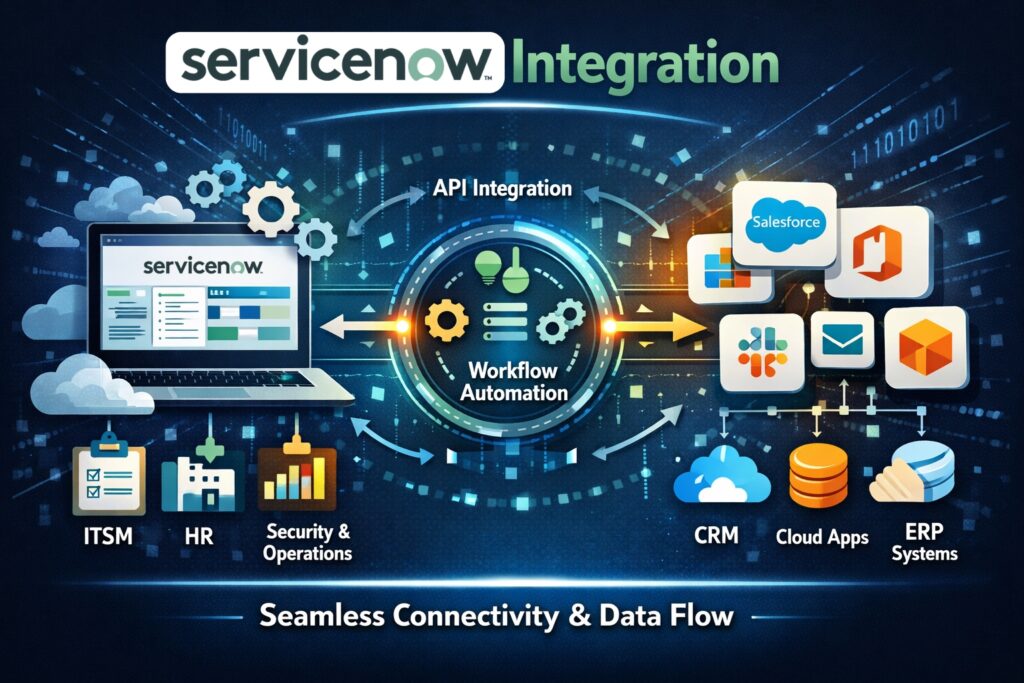
ServiceNow evolved from its initial focus as an IT service-management solution into an enterprise platform that enables organizations to manage work across departments and their customers and partners. The core element of that narrative depends on system integration because organizations need dependable system connections to achieve business value from their workflows.
This article takes you through ServiceNow integration and its position in digital transformation, and offers insights for ServiceNow AI Platform usage to link both historical databases and contemporary SaaS applications.
Organizations face their most challenging task when they need to integrate their modernized applications with their current operational infrastructure. The isolation of data within separate systems results in duplicate work and requires physical information transfer between teams, which produces extended periods of decision delay. ServiceNow integration solves this problem by creating a single data flow system that connects on-premises systems to cloud services and third-party applications.
ServiceNow enables you to automate all hand-off processes that slow down your teams through its integration features that allow Jira incident synchronization and Azure AD user provisioning, and Slack notification triggering. The article explains Now Platform integration through its definition and presents available tools and provides essential guidance for achieving successful integration implementation.
The process of system integration enables different systems to establish communication with each other. The ServiceNow environment requires users to link their workflows with outside applications, which include HR systems and productivity suites and DevOps tools and their internal data repositories, which include databases and LDAP systems. The system enables information to move continuously between its different components.
ServiceNow integrations operate through two methods, which include inbound connections where external systems access ServiceNow APIs and outbound connections where ServiceNow uses APIs to access other systems. ServiceNow documentation shows that inbound integrations enable third-party applications to access ServiceNow REST APIs for creating or modifying records but ServiceNow uses outbound integrations to transfer data between its system and external systems. The system requires this two-way operation to achieve instant synchronization.

Digital transformation is about more than replacing manual processes with digital ones. It requires harmonising data across the entire value chain. When applications remain isolated, employees must swivel‑chair between screens to find information and customers receive inconsistent responses.
By integrating systems, ServiceNow helps create a workflow data fabric that powers AI agents and smart workflows.
ServiceNow’s official Integration Hub datasheet describes integration as a way to connect enterprise apps quickly and efficiently, enabling AI agents and workflows with data.
In other words, integration makes it possible to orchestrate processes end‑to‑end, reduce human error and provide unified experiences to customers and employees.
Integration Hub (IH) is ServiceNow’s low‑code, no‑code integration solution. It extends Flow Designer, allowing users to connect to external systems without writing custom scripts. The datasheet notes that Integration Hub provides over 220 pre‑built connectors (called spokes), a Spoke Generator that leverages generative AI to create new spokes, and the ability to build custom spokes from an OpenAPI specification or by pasting API documentation.
Integration Hub is embedded within Workflow Studio and Flow Designer, meaning citizen developers and professional developers work in a common environment to design and automate integrations. AI agents for Integration Hub can even suggest actions and map data fields automatically, accelerating the integration process.
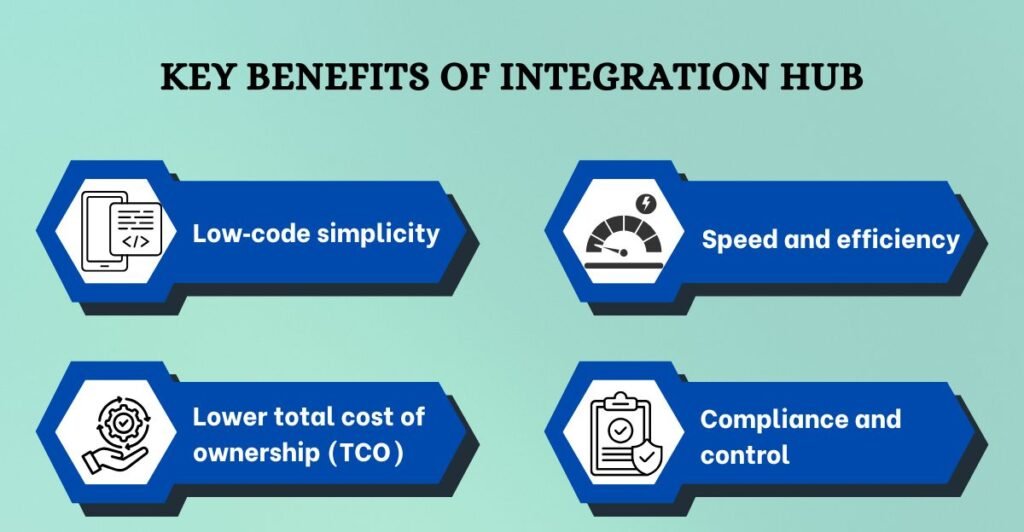
Integration Hub offers multiple advantages over custom REST scripts:
Read:- Governance, Risk and Compliance (GRC) Software: A Complete Guide
Integrations involve sending data or requests between ServiceNow and another system. Typically, a flow or script uses an outbound REST call to query external data, then updates ServiceNow records.
With Integration Hub, you select a spoke action (e.g., “Create Jira Issue”), provide authentication, map fields and run the flow. When the flow executes, Integration Hub uses the relevant protocol (REST, SOAP, JDBC, PowerShell) to call the external system.
The ServiceNow community explains that Integration Hub extends Flow Designer with pre‑built connectors and allows you to automate tasks such as creating Jira issues, posting Slack messages or provisioning users in Azure AD. Inbound integrations are similar but reversed: an external system calls ServiceNow’s REST API to create or update records.
ServiceNow can connect to virtually any modern system, but several patterns appear repeatedly:
Based on community demand and the growth of the cloud ecosystem, the following integrations are especially popular in 2026:
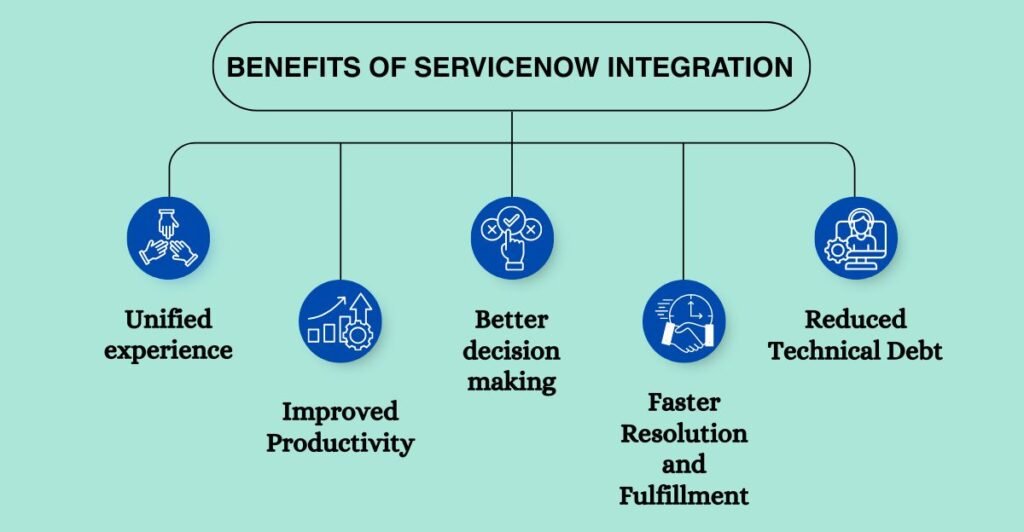
Well-designed integration systems produce specific advantages that benefit business operations.
Unified experience – Users no longer need to jump between systems. The system generates Jira tickets for development work when customers submit complaints through the portal, while it sends updates to Slack. All users have access to the same information, which they can view through their preferred interface.
Improved Productivity – The system brings better productivity because it eliminates human data entry work, which results in fewer mistakes and allows employees to perform activities that generate more value.
Better decision making – Real‑time data exchange provides a complete picture of operations. Managers can track request status through the entire process from when requests are first submitted until they are resolved without needing to move between different systems.
Faster Resolution & Fulfillment – The system enables faster incident resolution and request fulfillment because it operates between different systems, which results in better customer satisfaction.
Reduced Technical Debt – The implementation of pre-built spokes helps organizations reduce their technical debt because it eliminates the need for custom code development, which makes system updates easier to perform at lower maintenance expenses.
Read:- ServiceNow Implementation: Process, Best Practices, and More
Despite its benefits, integration projects often face obstacles:
To maximise the value of your integrations:
Inbound integration occurs when external applications call ServiceNow’s APIs. For example, an HR system might send employee data to ServiceNow to create user accounts. Outbound integration happens when ServiceNow initiates calls to external systems.
A common use case is automatically creating a Jira issue when an incident reaches a certain priority. The ServiceNow community notes that inbound means “other applications call ServiceNow’s REST API,” while outbound means ServiceNow calls external APIs.
As a ServiceNow platform owner and solutions architect, you know that integration projects require more than just technical connectors – they demand a strategic approach. DevTools is a trusted ServiceNow partner that specialises in end‑to‑end integration and workflow automation. Our consultants understand both the Now Platform and the systems you need to connect. We help you:
By partnering with DevTools, you gain a team of certified ServiceNow experts who have delivered integrations across industries. We not only connect your systems but also optimise workflows and unlock the full potential of the ServiceNow AI Platform.
ServiceNow integration is foundational to any digital transformation initiative. With Integration Hub, organisations can connect hundreds of systems using low‑code tools, generative AI and pre‑built spokes. Successful integrations deliver unified experiences, improved productivity and faster time to resolution. However, they require careful planning, governance and expertise. DevTools helps enterprises design, implement and manage integrations that scale, enabling your business to automate processes and innovate with confidence.
Integration refers to connecting ServiceNow workflows with external systems or internal databases so that data flows seamlessly between them. Integration can be inbound (external systems call ServiceNow’s APIs) or outbound (ServiceNow calls external APIs).
ServiceNow uses Integration Hub, which provides pre‑built spokes for common systems and allows custom spokes to be built from OpenAPI specifications. Flow Designer lets you drag actions into a flow without coding.
Implementation time depends on complexity. Pre‑built spokes can often be configured in hours. Custom integrations require additional time for API analysis, data mapping and testing. Using the Spoke Generator and AI suggestions can significantly shorten development time.
Integration Hub eliminates scripting by providing a library of more than 220 spokes and generative AI to generate new connectors. It also offers a central dashboard for governance.
You can use the GitHub spoke to automate actions such as creating issues, updating pull requests or triggering pipelines. This integration keeps change requests aligned with development work and ensures traceability.
OAuth is recommended for SaaS services because it uses token‑based authentication. API keys can be used when OAuth isn’t available. MID Server authentication is used for on‑premises or behind‑firewall systems.
Challenges include handling authentication, mapping data models, error handling and governance. Use Integration Hub’s dashboards, pre‑built spokes and AI‑powered tools to simplify these tasks.

Pramodh Kumar M is a Solutions Architect at DevTools with over 6 years of specialized experience in DevSecOps and enterprise IT solutions. He holds multiple advanced certifications, including Certified Kubernetes Security Specialist (CKS), GitHub Advanced Security, and Azure Solutions Architect Expert. Pramodh specializes in Agile, Cloud & DevOps toolchain implementations, with extensive hands-on experience helping enterprises with digital transformation initiatives. His expertise extends to ServiceNow implementation and support. He is passionate about sharing practical insights on Cloud, DevOps, Automation, and modern IT operations.